Linea Labs vs LangGraph: choosing an agent runtime
A fair comparison of Linea Labs and LangGraph as an AI agent runtime: what the framework covers, what the host does, and how to choose.
- Runtime
- Comparison
This post is about Linea Labs, the open-source agent runtime at getlinea.app. It is not the Consensys Linea blockchain, and it is not the iPad sketching app called Linea. If you were searching for either of those, start with the disambiguation note instead.
If you are choosing how to run agents in production, you will usually meet LangGraph first. Its docs describe it as both an orchestration framework and a runtime. Linea Labs is also an AI agent runtime. Calling LangGraph "just a framework" and Linea "the runtime" would not be fair. Both talk about graphs, checkpoints, pauses and memory, and they are not interchangeable.
The difference is the unit of work you are buying. With LangGraph it is a library, and if you want it, a hosting product for that library. With Linea it is a host that already runs its own graph and treats the step record as a product surface.
What LangGraph is
LangGraph's overview calls it a "low-level orchestration framework and runtime for long-running, stateful agents." You define a graph of shared state, nodes and edges, and you can mix deterministic steps with model-driven ones. It does not prescribe prompts or a fixed agent architecture.
In the LangChain stack, LangChain is the higher-level agent framework: models, tools and agent loops. LangGraph is the orchestration layer underneath it, with durable execution, streaming, human-in-the-loop and persistence. It does not require LangChain, though many examples use it. LangSmith sits next to that stack for tracing, evaluation and deployment.
You write the graph in Python or JavaScript, typically as a StateGraph: add nodes, add edges, compile, then invoke or stream. Persistence is not implicit. The docs have you compile with a checkpointer, which saves a snapshot of graph state at each super-step under a thread_id. That is what powers human-in-the-loop, fault tolerance and time travel. For production the docs point to PostgresSaver. The in-memory saver is for experiments, and its checkpoints are lost when the process restarts.
LangGraph also splits memory in two. Checkpointers hold short-term, thread-scoped state, which is the run or conversation you can resume. Stores hold long-term facts that span threads. Most production apps are expected to use both.
Three more capabilities matter for this comparison. Interrupts let a run halt so a person can review or edit state, then continue. Fault tolerance means that if a node fails in a super-step, you can restart from the last successful step, and writes from nodes that succeeded are not re-run. Time travel lets you replay an earlier execution, or fork state from a checkpoint to try another path.
Runs also have durability modes. In order from least to most durable, exit saves only when the run ends, async saves while the next step runs, and sync saves before the next step starts.
You can run a compiled graph in your own process. You still choose how to host it, wire the checkpointer and operate the result.
For a hosted path, LangChain documents LangSmith Agent Server, formerly LangSmith Deployment. It is a workflow orchestration runtime for LangGraph graphs: an API for assistants, threads, runs and cron jobs, with built-in persistence and a task queue. PostgreSQL is the default store for resources and checkpoints. Redis handles signaling and streaming and holds only ephemeral data, while run data is read from and written to PostgreSQL. You can run it on LangSmith Cloud, in a hybrid setup, self-hosted, or as a standalone server. That is a complete production path if you want to write LangGraph graphs and deploy them.
What the Linea Labs agent runtime is
Linea is an open-source runtime and control plane for production agents, written in TypeScript and licensed under Apache 2.0. The project is pre-1.0, so interfaces may still change. You write the agent, and Linea executes each published version of the graph. The visual builder and the TypeScript definition are two views of the same workflow.
The architecture docs split the system in two. The control plane, the Platform API, accepts and observes work. The execution plane, the workers, performs it. The execution flow page is explicit about authority: PostgreSQL is the source of truth, and Redis with BullMQ only delivers jobs. A queued message alone does not decide whether work exists or has finished. A transactional outbox closes the gap between committing state and publishing the job.
An execution is one instance of an immutable workflow version, pinned when the run starts, so a later publish cannot rewrite a run that is already in flight. Why every execution is pinned to one version covers that rule.
The worker claims a lease on the execution (30 seconds, with a 10-second heartbeat), loads the pinned version and walks the graph. After every node it persists a step record and a checkpoint. The checkpoint holds the ids of completed steps, their outputs keyed by node id, and any workflow variables. If the worker disappears, another claims the run and resumes from the latest durable checkpoint. If the lease is lost mid-step, the in-flight handler is cancelled and the checkpoint does not advance. Queue delivery is at least once, and duplicate work is handled with lease claims and idempotency keys. What happens when a worker dies walks through the failure case.
Resume and replay are different operations. Resume continues the same execution from its checkpoint. Replay is narrower: it runs one step again against the exact input that step originally received. Why replay needs the checkpoint covers that point, so this post will not retell it.
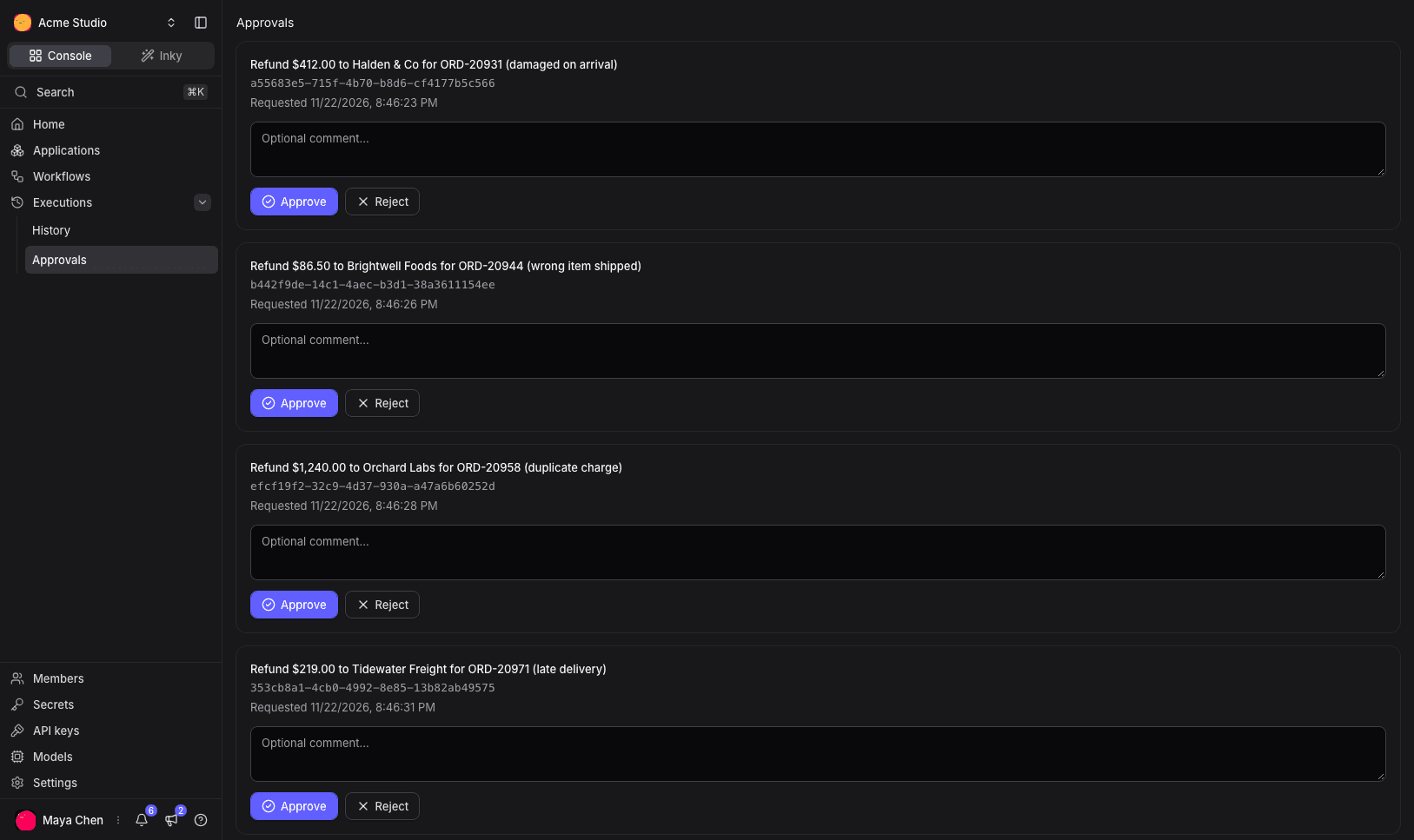
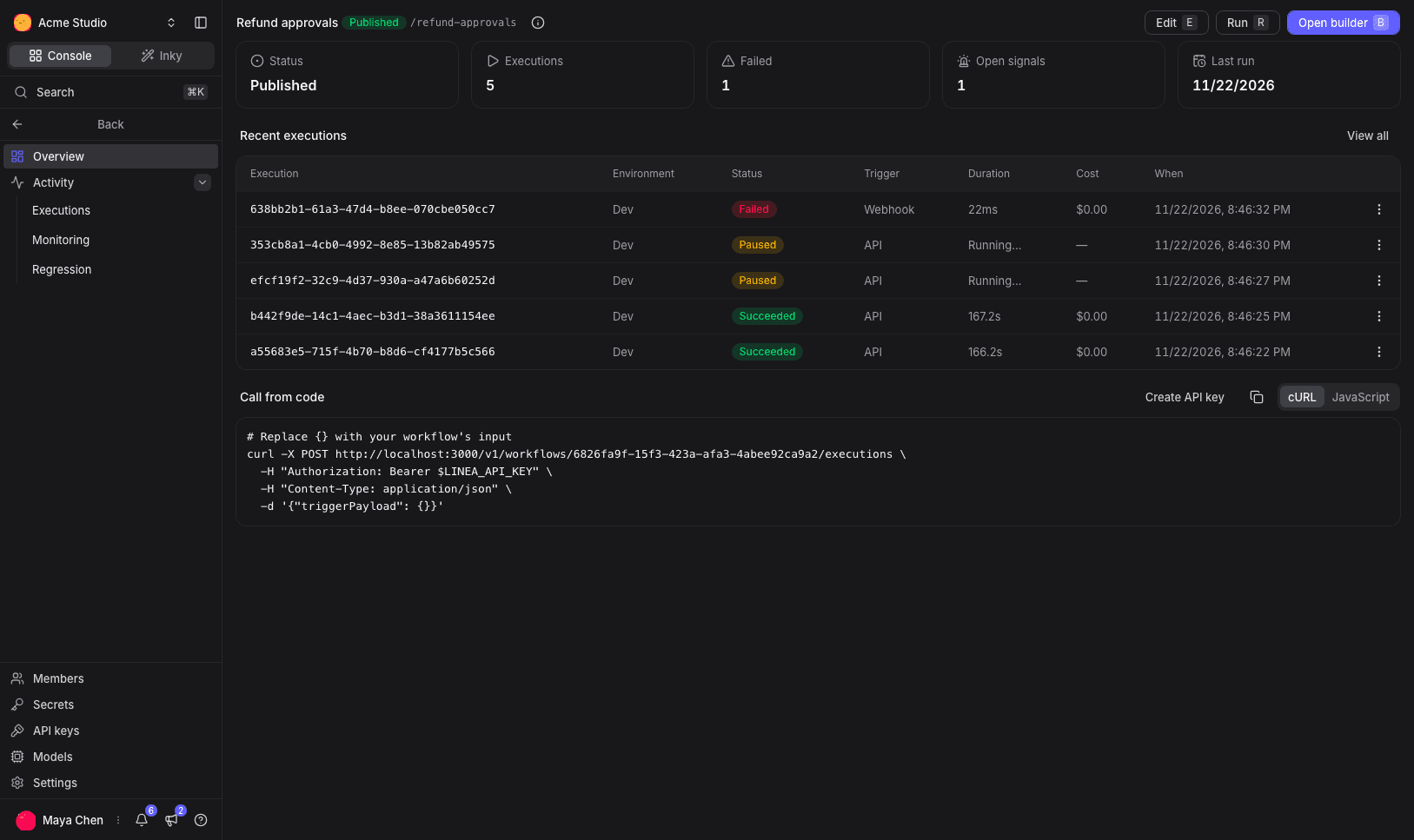
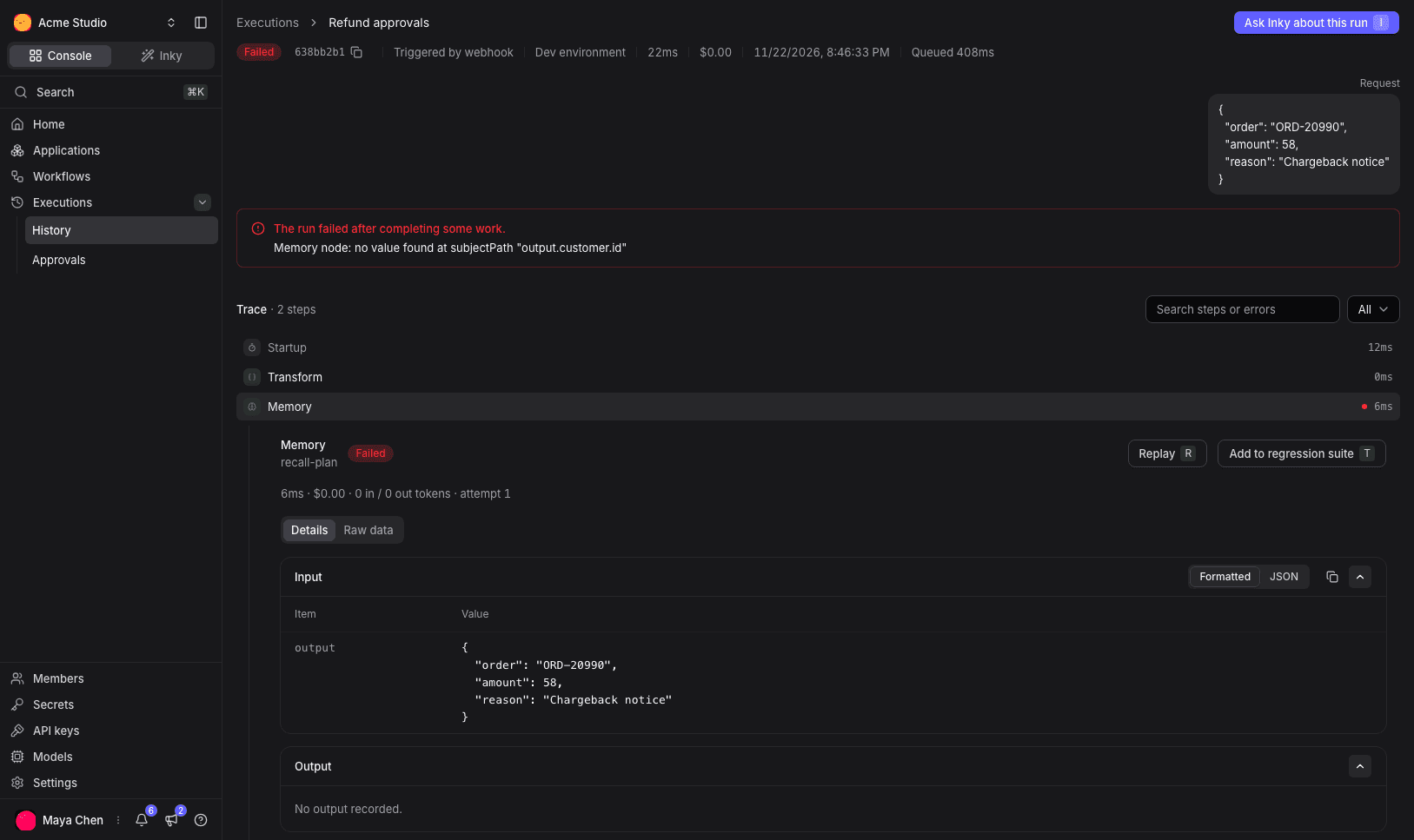
The step history is a product surface, not disposable worker logs. Each attempt records the node, its sequence and attempt number, status, input and output, error, timing, a trace and span id, token usage and cost, and the model and provider for AI steps. In the dashboard a failed step shows its error and the exact input it received, with Replay and "Add to regression suite" next to it.
The same records are what evals and regression cases are built from. You can freeze a known input as a case and rerun it when you publish a new version.
Approvals and waits are durable pauses, not in-memory holds. The run stays paused until a person makes an immutable decision or a timer fires, then it continues. Agent memory lives on the host, scoped to the workspace, the environment and the end user, so a later run can read facts an earlier one learned.
Google and GitHub connector families are implemented, with consent for side effects. Two things the README is clear about: arbitrary MCP tools and sandboxed code execution are not shipped. The TypeScript SDKs are still workspace-internal and are not published to npm.
One caveat belongs next to replay. Diagnostic replay and regression runs refuse some node types today. Connector, agent, approval and wait nodes are refused, and HTTP, AI and memory nodes run only when they do not write: non-GET HTTP calls, non-GET AI tools and memory writes are refused. A replay exists to test a step without changing the world, so it will not fire a real side effect.
How to choose
If you already think in LangGraph's graph API, and you want fine-grained control over shared state and control flow in Python or JavaScript, LangGraph is the straightforward choice. You can start in your own process with a persistent checkpointer, and later deploy the same graphs to Agent Server if you want a managed or self-hosted runtime for that library. You also stay in an ecosystem that already has tracing and evaluation through LangSmith.
If you want the host and the control plane in one open-source system, Linea Labs is aimed at that job. You author a versioned workflow visually or as TypeScript, then run it on Linea's workers. The checkpoint, the step record, the approval and the memory sit on the same data model as the run. The loop Linea is built for is this: inspect the failed step, replay it against the input it saw, change the workflow, publish a new version, and keep the case as a regression.
Those are different products, not two names for the same library. Linea does not execute a LangGraph graph.
A practical way to decide is to list what you are willing to operate. If you want to own the graph code and plug it into a LangGraph-shaped runtime, start with LangGraph and the Agent Server docs. If you want a host that already executes the graph, keeps the exact step input, and gives you a builder and a run history on the same definition, start with Linea and the architecture guide.
Limits, and a next step
This post does not invent latency, cost or reliability numbers, and it does not assign a winner. LangGraph and Agent Server facts come from their official docs. Linea facts come from the site, the public docs, the linea-org/linea README and the source.
Linea is pre-1.0, so treat current APIs and limits as in motion. A graph run stops after 30 minutes, a node attempt after 60 seconds, and an execution after 1,000,000 tokens. Agent loops are capped at 25 iterations and a 30 minute work budget.
If the category is still fuzzy, read What is an AI agent runtime? first. If you want the mechanics of a Linea run, the execution flow page is the precise version. The source is on GitHub under Apache 2.0. Star the repo if this is useful, or start building.